Verification photos
We may ask for photos to verify your identity in certain cases. Our privacy policy applies to the information you submit, and we won’t share it with other Resortifi users.
Why does Resortifi need additional photos to verify my information?
If we’re not able to conclusively verify your identity, if you have multiple or linked accounts or a trust and safety issue, or if you’re booking a Super Deluxe or Resortifi Go car, we’ll ask for more photos.
Note: Our privacy policy applies to the information you provide during this process. We won’t share any details you provide with other Resortifi users.
What additional photos might I need to submit?
You’ll get an email or notification if you need to submit additional photos for approval. We may ask for up to three photos:
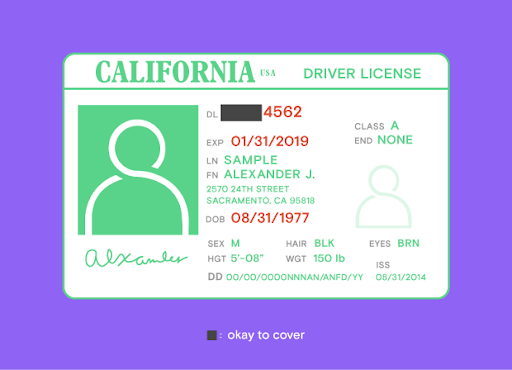
- Your driver’s license. Allows us to verify that you have a valid license.
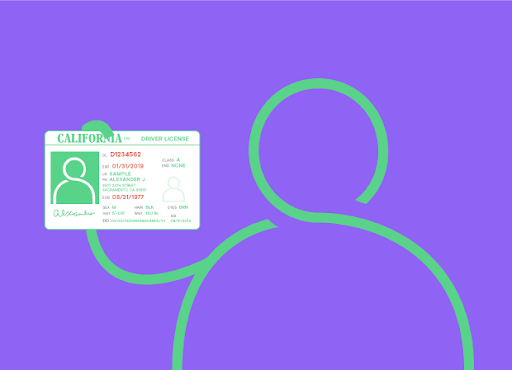
- A selfie of you holding your driver's license next to your face. Allows us to verify that your license is in your possession.
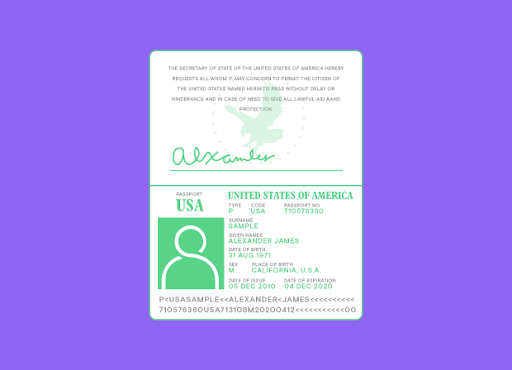
- Your passport, open to its ID Page. Allows us to verify your identity and eligibility if your license was issued outside of the US, Australia, Canada, or the UK.
The easiest way to submit photos is to start a chat session with a Verification agent. You can also reply to the email we sent you and attach the requested photos. Don’t paste your photos into the body of your email or submit links to files located on Google Drive or Microsoft OneDrive. We’re unable to view any of these file types. If the website or app prompted you to upload identity verification photos, follow the instructions in the prompts.
Tips for taking verification photos
Follow these guidelines for taking photos that’ll allow us to complete the verification process as quickly as possible:
- Avoid using the flash setting on your camera
- Don’t use filters. It may look as though you’ve tampered with your documents.
- Make sure photos are in-focus and clear
- Preview photos before you send them to be sure you can clearly read all the information on the documentation.
- Don’t submit any scanned documents. We can only accept photos as it confirms the documents are in your possession.
Driver’s license photo
- Take a clear, close-up photo where all four corners and sides of the license are visible.
- To protect your privacy, you may cover up your license number except for the last four digits. Make sure all other information on the license is visible.
Selfie of you holding your driver's license next to your face
- Take a clear photo of you holding your driver's license next to your face. Make sure your head and shoulders are visible and your full arm is showing, if possible.
- Be sure we can clearly see your face. Don’t wear any hats or sunglasses.
Your passport, open to its ID Page
- We’ll only request this if your license was issued outside of the US, Canada, Australia, or the UK
- Be sure to take a clear, close-up photo where all four corners and sides of the passport are visible.